Cloud Share
Secure peer-to-peer file & text sharing.
Zero infrastructure. End-to-end encrypted.
See it in action
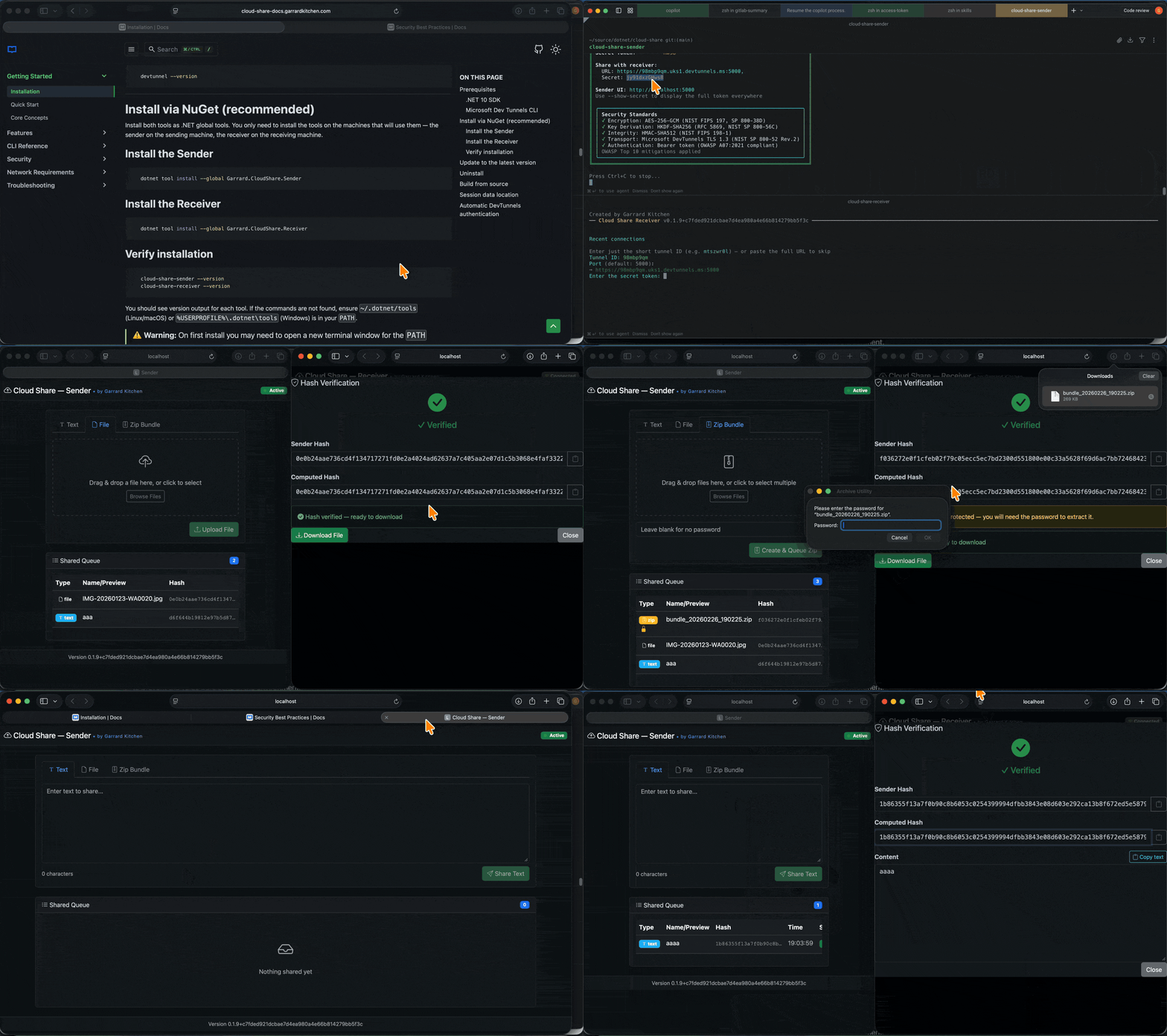
Top 5 Features
🌐 Zero-Infrastructure P2P via Dev Tunnels
Get a public HTTPS URL in seconds — no port forwarding, no VPN, no server to provision. Microsoft Dev Tunnels creates a temporary encrypted relay so any two machines can talk directly. Share the URL and secret out-of-band and you're done.
Learn about tunnels →🔐 AES-256-GCM Encryption + SHA-512 Integrity
Every byte is encrypted before it leaves the sender using AES-256-GCM with a random nonce per operation. A SHA-512 hash is computed on the plaintext and verified by the receiver — a mismatch permanently deletes the item. Nothing is ever stored in plaintext.
Security architecture →🖥️ Beautiful Reactive Web UI on Both Ends
Forget plain CLI prompts. Both sender and receiver open a gorgeous Bootstrap 5 + Alpine.js dark-themed UI in your browser automatically. Drag-and-drop files, live queue updates via SSE, toast notifications, hash verification modal — all without a single page reload.
Explore the UI →📦 Multi-File Zip Bundles with Double Encryption
Bundle multiple files into a zip in one click. Optionally apply an AES-256 zip-level password so the archive requires a passphrase to extract. The entire zip is then additionally AES-256-GCM encrypted for transport. That's two independent layers of encryption for your most sensitive transfers.
Zip bundles guide →🔑 Smart Authentication — Zero Manual Intervention
On first run the sender walks you through Microsoft or GitHub OAuth, remembers your choice, and never asks again. If the token expires mid-session it silently re-authenticates and retries the tunnel — you won't even notice. Reset anytime with --reset.
Everything You Need
Text Sharing
Paste text in the sender UI, encrypt and queue it instantly. Receiver displays it in a scrollable window with a one-click copy-to-clipboard button.
Learn more →File Transfer
Drag-drop or browse for any file up to 100 MB. Files are encrypted before upload and downloaded only after the receiver confirms the SHA-512 hash.
Learn more →Zip Bundles
Select multiple files, add an optional password, and queue them as a single zip bundle — all encrypted end-to-end for transport.
Learn more →Integrity Verification
SHA-512 hashes are shown on both sides. The receiver must confirm they match before content is revealed. Mismatch = permanent deletion.
Learn more →Real-Time Updates
Queue changes propagate instantly via Server-Sent Events. New items appear on the receiver without refreshing — with auto-reconnect on disconnect.
Learn more →Session Memory
The receiver remembers the last tunnel URL and secret across restarts. Saved as you type, so even a crash won't lose your connection details.
Learn more →Cross-Platform
Native .NET 10 global tools that run on Windows, macOS (including Apple Silicon), and Linux — with platform-specific auto-install for DevTunnels CLI.
Learn more →Auto Dependency Install
Both tools detect if DevTunnels CLI is missing and offer to install it automatically using winget, Homebrew, or a curl script depending on your OS.
Learn more →Quick Start
Install
Install both global tools with the .NET CLI
dotnet tool install -g Garrard.CloudShare.Sender
dotnet tool install -g Garrard.CloudShare.ReceiverSend
Start the sender — a browser UI opens automatically
cloud-share-senderShare
Copy the tunnel URL and secret to your receiver (via chat, email, etc.)
Tunnel URL: https://abc123.uks1.devtunnels.ms:5000
Secret: kTrLEDmmY4g4Receive
Start the receiver — arrow-key to pick a recent tunnel or enter the tunnel ID, region, and port
cloud-share-receiver